


7 In 1 External DVD Player

Unlock Your Computer's Full Potential
The Ultimate 7-in-1 External CD/DVD Drive & USB Hub.
Designed for modern laptops and desktops without built-in optical drives. Whether you need to install legacy software, watch movies on DVD, back up family photos, or connect multiple USB devices, this sleek black drive handles it all with a single plug-and-play connection.
More Than Just an Optical Drive
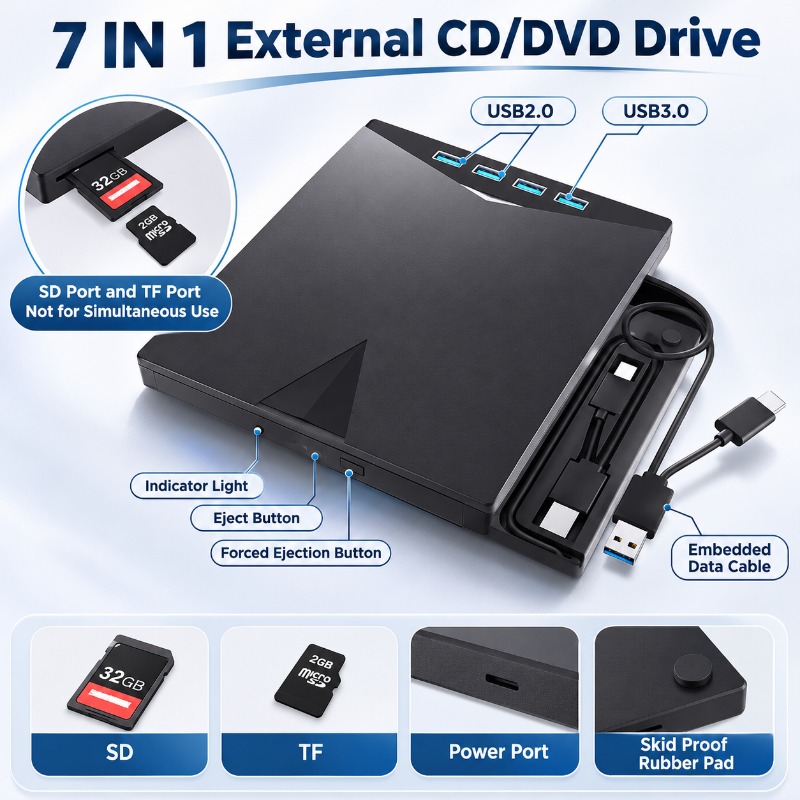
Why carry multiple dongles when you can have one compact solution? This device integrates a high-speed USB hub directly into the front panel. It features four blue USB ports that allow you to expand your connectivity instantly.
- CD/DVD Reader & Burner: Read discs at up to 24X speed and burn data or music.
- 4-Port USB Hub: Connect your mouse, keyboard, or flash drives simultaneously.
- Built-in Card Readers: Dedicated slots for SD and TF cards let you transfer photos from cameras and phones directly.
Fast Data Transfer, Zero Hassle
Equipped with USB 3.0 technology, this drive offers significantly faster transmission speeds compared to older standards. Large files, movie backups, and software installations happen quickly and smoothly.
Forget about messy cables. The dual-headed cable (USB-A and Type-C) is embedded neatly into the bottom of the unit. Simply pull it out, plug it into your computer, and the system recognizes the drive automatically—no drivers required.
One Device, Endless Possibilities
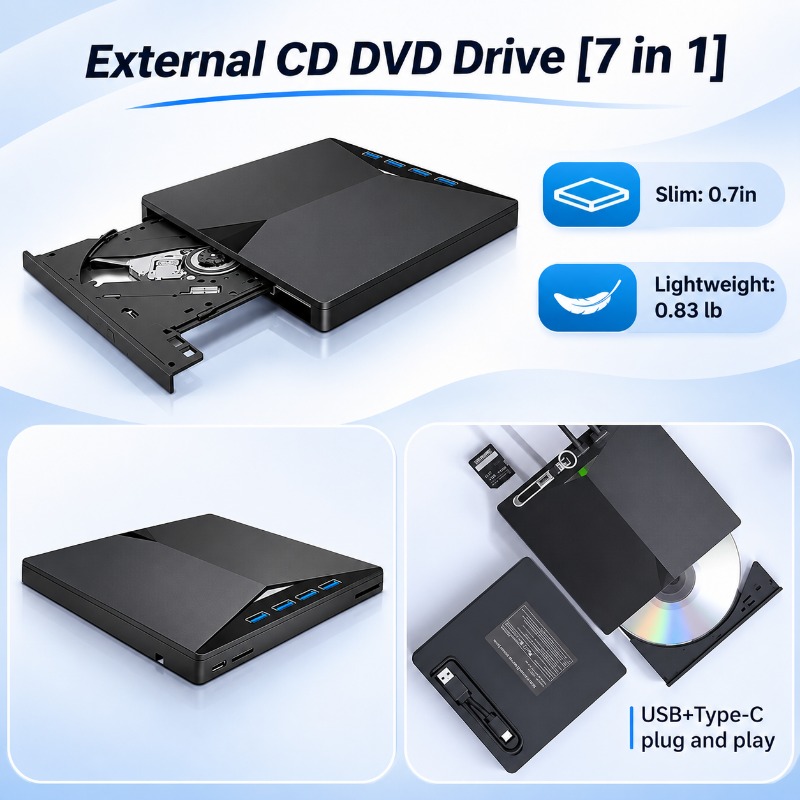
From entertainment to productivity, this drive adapts to your needs. It is the perfect companion for home offices, students, and travelers who rely on physical media.
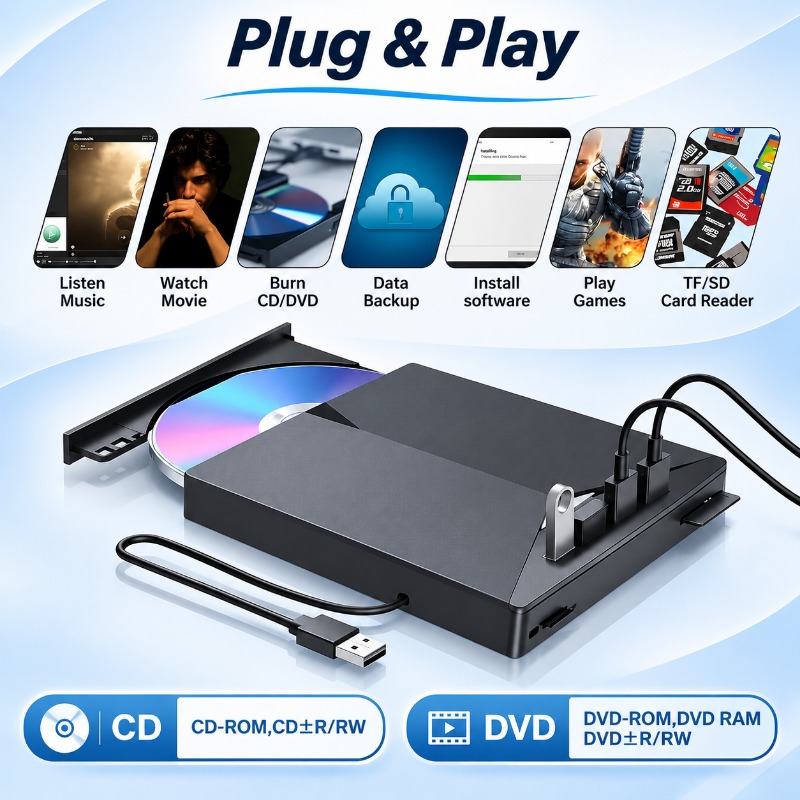
- Entertainment: Watch favorite movies on DVD or listen to music CDs.
- Work: Install older software that requires a disc or access archived data.
- Creative: Offload footage from SD/TF cards for editing.
Wide System Compatibility
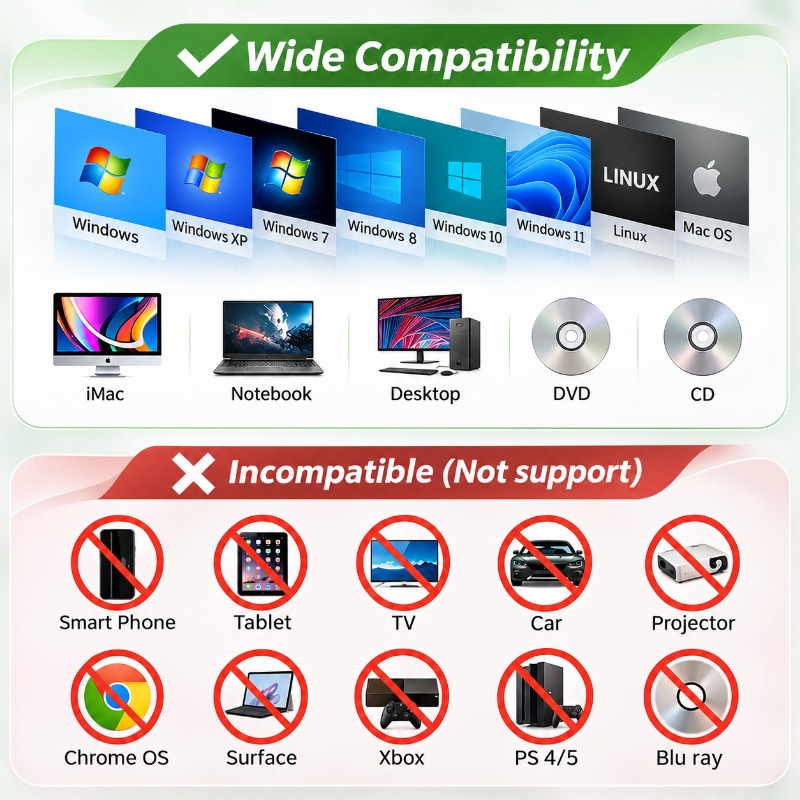
This drive works seamlessly with major operating systems including Windows (XP through 11), macOS, and Linux. It connects to iMacs, notebooks, and desktop towers alike.
Please Note: To ensure the best experience, this device is designed specifically for computers. It does not support standalone use with Smartphones, Tablets, TVs, Cars, Projectors, Chrome OS, Xbox, PlayStation consoles, or Blu-ray players.
Pro Tips for Best Performance
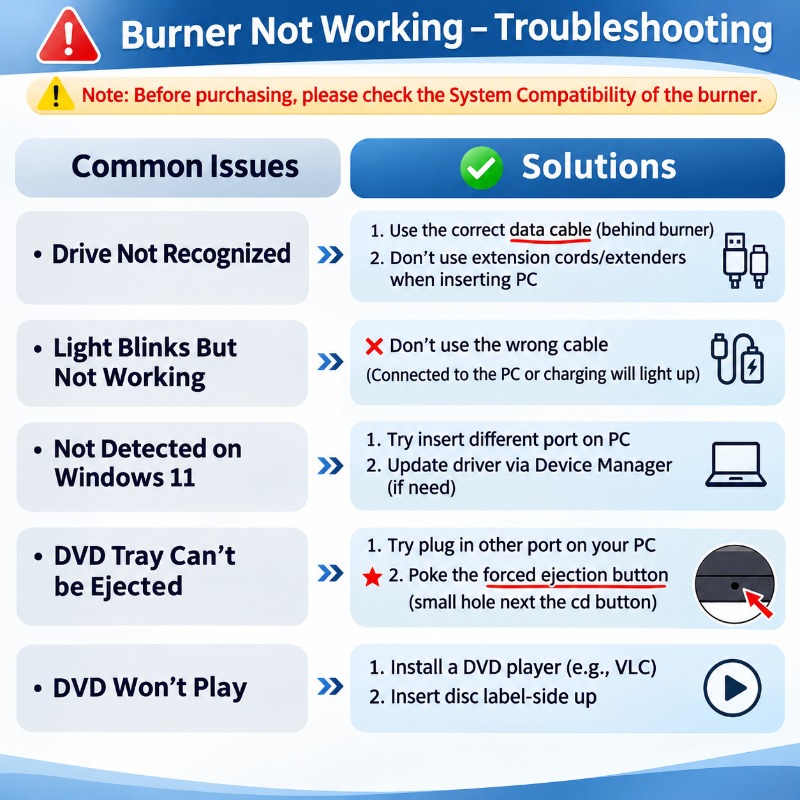
If you encounter issues connecting, try these quick fixes:
- Not Recognized? Ensure you are using the correct cable end for your PC port. Avoid using extension cords which may reduce power delivery.
- Tray Stuck? If the button doesn't work, use a paperclip to gently poke the small emergency ejection hole next to the tray slot.
- Windows 11 Issues? Try plugging into a different USB port or updating your drivers via Device Manager.
Frequently Asked Questions